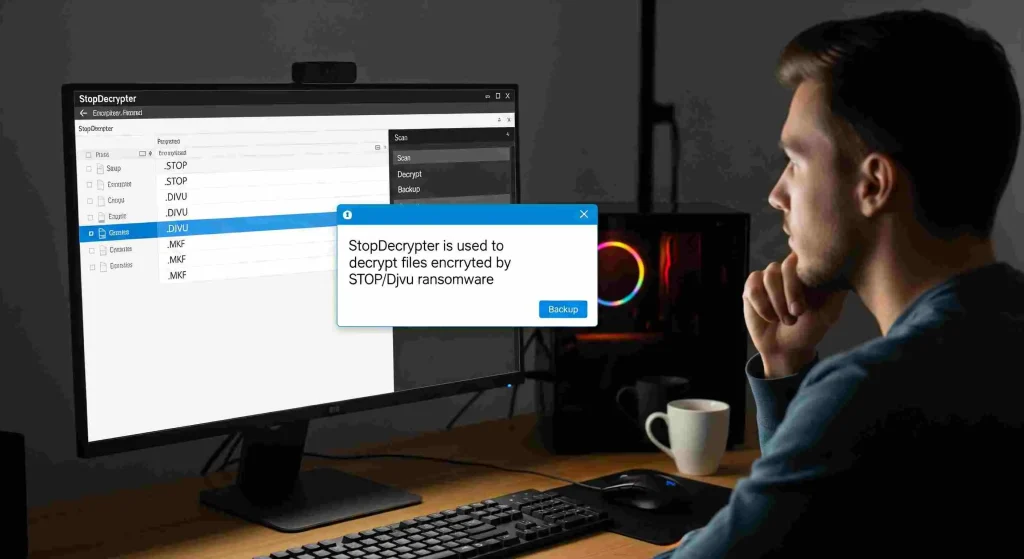

Ransomware attacks have become one of the most persistent threats in the digital world, locking valuable files and causing significant disruption for individuals and businesses alike. When files are encrypted, specialized tools like StopDecrypter can help restore access, but understanding how these tools operate is crucial.
A key aspect of StopDecrypter’s functionality lies in the distinction between online and offline keys, which determines how encrypted files can be recovered. By grasping how these keys work and their respective limitations, users can approach file recovery with clarity, increase the chances of restoring data, and make informed decisions during a ransomware incident.
Ransomware and File Encryption
Before diving into keys, it’s essential to understand what happens during a ransomware attack. Ransomware encrypts files on a computer using advanced algorithms, rendering them inaccessible. The attacker usually demands a ransom to provide the decryption key. Modern ransomware often uses asymmetric encryption, where a public key encrypts the files and a private key is needed for decryption.
The STOP/Djvu family of ransomware is particularly widespread, affecting Windows systems and encrypting files with extensions like .djvu, .udjvu, .adobe, and more. StopDecrypter is designed to combat these attacks by using decryption keys to restore access to encrypted files. The success of StopDecrypter heavily depends on whether the ransomware used an online or offline key.
What Are Offline Keys in StopDecrypter
Offline keys are a type of decryption key used when files are encrypted without contacting the attacker’s server. This occurs when the ransomware operates in “offline mode,” meaning it generates a key locally on the victim’s system rather than using a unique key from the attacker.
Key characteristics of offline keys:
- Locally Generated: The key is created on the victim’s computer rather than downloaded from a remote server.
- Shared Across Infections: Many victims infected at the same time may share the same offline key.
- Easier to Recover: Security researchers often extract offline keys from known ransomware samples, making them usable for decryption with StopDecrypter.
Offline keys are particularly important because they allow StopDecrypter to recover files without relying on communication with the attacker’s server. This significantly increases the success rate for files encrypted in offline mode.
How Offline Keys Work
When ransomware encrypts files offline:
- A pseudo-random key is generated locally.
- This key encrypts the victim’s files using a symmetric or asymmetric algorithm.
- If the ransomware does not send this key to the attacker, it may be recoverable through analysis.
StopDecrypter maintains a database of known offline keys, allowing it to decrypt files quickly if a matching key is found. This process is typically faster and more reliable than online key decryption.
What Are Online Keys in StopDecrypter
Online keys, in contrast, are unique keys generated on the attacker’s server for each victim. When ransomware operates in online mode:
- Server-Generated: Each victim receives a distinct key from the attacker’s server.
- Unique to Each Infection: Files encrypted with online keys are generally unique per system.
- Harder to Recover: Because the key resides on the attacker’s server, it is not included in StopDecrypter’s database unless released publicly.
Online keys are more secure from the attacker’s perspective. Even if researchers recover keys from one victim, they are unlikely to work for other victims. This makes decryption using StopDecrypter more challenging when files are encrypted with online keys.
How Online Keys Work
The process for online keys is as follows:
- Ransomware contacts the attacker’s server.
- A unique encryption key is generated and sent to the infected system.
- The ransomware uses this key to encrypt files locally.
- The key remains on the attacker’s server until released or discovered.
Files encrypted with online keys often require either the attacker to provide the key or advanced research methods to recover it. StopDecrypter can decrypt files with online keys only if the key has been obtained and added to its database.
Key Differences Between Online and Offline Keys
Understanding the difference between online and offline keys is essential for realistic expectations when using StopDecrypter. Key distinctions include:
| Generated by the attacker’s server | Offline Keys | Online Keys |
|---|---|---|
| Generation | Local to the victim’s system | Generated by attacker’s server |
| Uniqueness | Often shared across multiple victims | Unique per victim |
| Recovery Difficulty | Easier, often available in StopDecrypter | Harder, depends on key release |
| Success Rate | Higher if key is known | Lower without key access |
| Security | Less secure | Highly secure |
The difference between online and offline keys in StopDecrypter is not just technical; it directly impacts file recovery rates. Users must identify which type of key encrypted their files to choose the appropriate recovery strategy.
How to Identify If Files Are Encrypted with Online or Offline Keys
StopDecrypter itself can help determine whether files are encrypted with online or offline keys. Typically, the tool scans encrypted files and provides a status message. Common indicators include:
- Offline Key Detected: The tool recognizes a key from its offline database.
- Online Key Detected: The tool indicates that files were encrypted with an online key, meaning decryption may be limited unless the key is known.
Other methods to identify key type:
- File Extensions: Certain STOP/Djvu variants consistently use offline keys for specific extensions.
- Encryption Timestamp: Offline encryption often occurs when ransomware cannot reach the server due to network issues.
- Ransom Note Analysis: Notes sometimes indicate whether the ransomware attempted to connect online.
Understanding the key type is the first step to effective file recovery.
Practical Implications for Using StopDecrypter
The difference between online and offline keys in StopDecrypter has practical implications for users:
- Offline Key Recovery: Usually fast and reliable if the key exists in the database. Users can often recover all offline-encrypted files without contacting attackers.
- Online Key Recovery: May require waiting for security researchers to release the key, meaning recovery is not immediate and cannot be guaranteed.
- Partial Recovery: In mixed infections, some files may be encrypted with offline keys while others use online keys. StopDecrypter can recover only the offline-key files until online keys become available.
Recognizing these implications helps users avoid frustration and understand the limits of their recovery efforts.
Step-by-Step Guide to Recovering Files with StopDecrypter
Here’s a practical workflow for anyone facing STOP/Djvu ransomware:
Backup Encrypted Files
Always make a backup of encrypted files before attempting decryption to prevent accidental corruption.
Download StopDecrypter
Use the latest version of StopDecrypter from a trusted source. Updates often include new offline and online keys.
Scan the System
Run the tool to identify encrypted files and determine the key type. StopDecrypter will display whether offline or online keys are in use.
Decrypt Offline Key Files
If offline keys are detected, initiate the decryption process. These files typically decrypt quickly.
Monitor for Online Key Updates
For files encrypted with online keys, keep an eye on updates from StopDecrypter. When new keys are added, you may be able to recover these files later.
Verify File Integrity
After decryption, check files for completeness and functionality. Some files may still be partially damaged if encryption was interrupted.
Common Challenges with Online and Offline Keys
Even with a clear understanding, users encounter challenges:
- Corrupted Files: Sometimes, files cannot be fully recovered if the encryption process was interrupted.
- Mixed Key Infections: Some ransomware infections use both online and offline keys, leading to partial recovery.
- Database Limitations: StopDecrypter’s key database may not yet include the latest online keys.
- Misidentification: Incorrectly assuming a key type can lead to wasted recovery attempts.
Being aware of these challenges ensures realistic expectations.
Tips to Maximize Recovery Success
To improve outcomes when using StopDecrypter:
- Keep Software Updated: New offline and online keys are regularly added to StopDecrypter.
- Use Multiple Recovery Tools: Some ransomware variants may be partially recoverable with alternative decryption tools.
- Prioritize Critical Files: Focus on essential documents first to maximize data recovery.
- Avoid System Changes: Don’t modify encrypted files before decryption; this can reduce recovery chances.
- Maintain Backups: Offline backups remain the most reliable protection against any ransomware attack.
The Future of Key Management in StopDecrypter
As ransomware evolves, the distinction between online and offline keys will remain critical. Security researchers are developing methods to recover online keys more efficiently, and StopDecrypter is continually updated to incorporate these findings. Users should understand that while offline key recovery is typically fast, online key recovery depends on collaboration between researchers, victims, and sometimes law enforcement.
Conclusion
Understanding the difference between online and offline keys in StopDecrypter is fundamental for anyone trying to recover files from STOP/Djvu ransomware. Offline keys, generated locally, are often easier to decrypt and have a higher success rate, while online keys, generated on the attacker’s server, present more challenges and may require waiting for key releases. Recognizing key types, following best practices, and using StopDecrypter systematically can significantly improve recovery outcomes. While full recovery is not always guaranteed, understanding these differences empowers victims to act strategically, prioritize data, and minimize ransomware damage.