
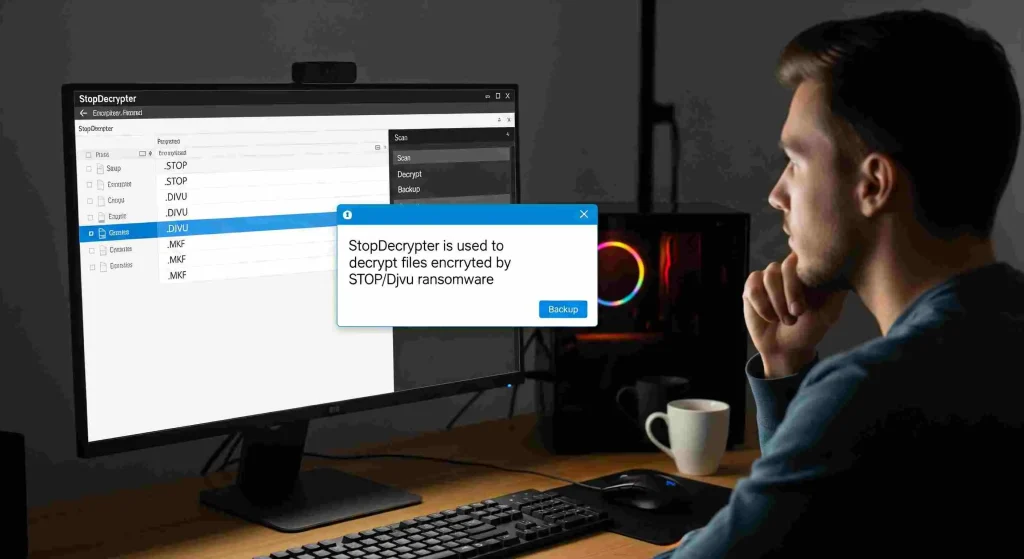
Ransomware attacks have become one of the most disruptive threats in the digital world, affecting individuals, small businesses, and large organizations alike. When files suddenly become inaccessible and a ransom note appears demanding payment, panic often follows. In this stressful moment, many victims search for solutions that can help them recover their data without giving in to cybercriminals. What is StopDecrypter used for? This question frequently arises among those who encounter ransomware for the first time and are desperate for a legitimate way to unlock their files.
StopDecrypter is widely known as a specialized tool designed to help victims of certain ransomware infections regain access to encrypted data. Its purpose, limitations, and correct usage are often misunderstood, which can lead to unrealistic expectations or even data loss if handled incorrectly. This in-depth guide explores the full scope of What is StopDecrypter used for?, explaining how it works, when it is effective, and how it fits into a broader ransomware recovery strategy.
Ransomware and File Encryption
Before diving into the tool itself, it is important to understand the problem StopDecrypter was created to address. Ransomware is a type of malicious software that encrypts files on a victim’s system and demands payment in exchange for a decryption key. Once files are encrypted, they cannot be opened, edited, or used without the correct cryptographic key.
Modern ransomware uses strong encryption algorithms that are nearly impossible to break by brute force. This means victims are often left with only a few options: restore from backups, pay the ransom, or attempt decryption using a trusted tool if one exists.
This is the context in which What is StopDecrypter used for? becomes an essential question. The tool was developed to exploit weaknesses found in specific ransomware variants, allowing file recovery without paying criminals.
The Purpose Behind StopDecrypter
StopDecrypter was created to assist victims of ransomware belonging to the STOP (also known as Djvu) family. Its primary purpose is to decrypt files that were locked using certain encryption keys that have been discovered or made publicly available.
When people ask What is StopDecrypter used for?, the most accurate answer is that it is used to attempt file decryption after a STOP/Djvu ransomware infection, provided specific conditions are met. It is not a universal ransomware solution, nor does it guarantee success in every case.
The tool works by applying known decryption keys to encrypted files. If the ransomware used one of these known keys during the encryption process, StopDecrypter can restore files to their original state.
How StopDecrypter Works at a Technical Level
To fully understand What is StopDecrypter used for?, it helps to look at how the tool functions internally. When ransomware encrypts files, it uses either an online key or an offline key.
An online key is generated uniquely for each victim and stored on a remote server controlled by the attackers. These keys are nearly impossible to obtain unless seized by law enforcement.
An offline key, on the other hand, is used when the ransomware cannot connect to its command server. In these cases, the same encryption key may be reused across multiple victims. Security researchers sometimes recover these offline keys and embed them into StopDecrypter.
The tool scans encrypted files, identifies the ransomware variant, and checks whether a matching offline key is available. If a match is found, decryption becomes possible.
Online Keys vs Offline Keys Explained
A major factor influencing What is StopDecrypter used for? is the difference between online and offline encryption keys.
Offline keys give victims a chance at recovery because they can eventually become publicly known. Online keys are unique and remain securely stored on criminal infrastructure, making decryption practically impossible without paying the ransom.
StopDecrypter is effective only when offline keys are involved. This limitation is crucial to understand because it explains why some users experience successful file recovery while others do not.
When StopDecrypter Can Successfully Decrypt Files
One of the most common misunderstandings is StopDecrypter used for? is the belief that it can decrypt all STOP ransomware infections. In reality, its success depends on several conditions.
First, the ransomware variant must be one that StopDecrypter supports. Second, the encryption must have used an offline key that is already included in the tool’s database. Third, the encrypted files must not be corrupted or partially overwritten. When all these conditions are met, StopDecrypter can be an extremely valuable recovery option.
When StopDecrypter Will Not Work
Understanding the limitations is just as important as understanding What is StopDecrypter used for? The tool cannot decrypt files encrypted with online keys, newly released variants without known weaknesses, or ransomware outside the STOP family.
In these cases, running StopDecrypter may result in partial recovery or no recovery at all. It is designed to be safe, but unrealistic expectations can lead to frustration if users believe it is a guaranteed fix.
Is StopDecrypter Safe to Use
Security is a common concern when victims research what StopDecrypter is used for. Because ransomware victims are already compromised, trust becomes a critical issue.
StopDecrypter is considered safe when downloaded from reputable sources and used as intended. It does not install malware, steal data, or modify files beyond attempting decryption.
However, it should always be run after the ransomware infection has been fully removed. Attempting decryption on an active infection can lead to files being re-encrypted or damaged.
Preparing Your System Before Using StopDecrypter
Proper preparation improves the chances of success and clarifies What is StopDecrypter used for? in a practical sense.
Before running the tool, the system should be scanned with a trusted anti-malware solution to remove the ransomware. Encrypted files should be backed up to external storage to prevent accidental loss. This ensures that even failed decryption attempts do not make the situation worse.
Step-by-Step Overview of Using StopDecrypter
Step-by-Step Overview of Using StopDecrypter
Ransomware Infection ko Pehle Remove Karein
StopDecrypter use karne se pehle system se ransomware ko completely remove karna zaroori hota hai. Agar malware active raha, to files dobara encrypt ho sakti hain.
Encrypted Files ka Backup Bana Lein
Decryption process start karne se pehle encrypted files ka backup external drive ya safe location par bana lena chahiye. Yeh safety ke liye hota hai, taake data loss ka risk na ho.
StopDecrypter Tool ko Launch Karein
Tool ko open karne ke baad user interface simple hota hai. Yahin se aap files ya folders select kar sakte hain jahan encrypted data mojood ho.
Encrypted Files ka Location Select Karein
Is step mein aap un folders ko choose karte hain jahan ransomware ne files encrypt ki hain. Tool un files ko scan karta hai.
Encryption Type ka Analysis
StopDecrypter files ko analyze karta hai aur check karta hai ke encryption offline key se hui hai ya online key se. Yeh step decide karta hai ke decryption possible hai ya nahi.
Decryption Process Start Hona
Agar offline key available hoti hai, to tool decryption process start kar deta hai aur files ko original form mein restore karta hai.
Result aur Status Check Karein
Process complete hone ke baad tool batata hai kaunsi files successfully decrypt hui aur kaunsi nahi. Agar decryption possible na ho, to clear message show hota hai.
Future Recovery Options par Ghor Karein
Agar files decrypt nahi hoti, to unhe safe jagah par store karke rakhna behtar hota hai, kyun ke future mein keys release ho sakti hain.
Common Misconceptions About StopDecrypter
Many myths surround What is StopDecrypter used for? One common belief is that repeated attempts or modified versions of the tool can force decryption. This is not true. Without the correct key, decryption is mathematically infeasible.
Another misconception is that StopDecrypter can prevent ransomware infections. It is a recovery tool, not a protective solution. Prevention requires strong security practices, backups, and awareness.
StopDecrypter and Data Recovery Strategy
A complete recovery plan goes beyond simply asking What is StopDecrypter used for? It involves layered defenses and fallback options.
Backups remain the most reliable way to recover from ransomware. StopDecrypter serves as a secondary option when backups are unavailable. It should be viewed as part of a broader incident response strategy rather than a standalone fix.
Ethical and Legal Considerations
Using StopDecrypter aligns with ethical cybersecurity practices. It helps victims avoid paying ransoms, which can fund further criminal activity. This aspect is often overlooked when discussing What is StopDecrypter used for?, but it plays a significant role in discouraging ransomware operations.
By choosing legitimate recovery tools, victims contribute to a safer digital environment.
The Evolution of StopDecrypter Over Time
The relevance of What is StopDecrypter used for? has changed as ransomware has evolved. Early versions of STOP ransomware had more weaknesses, making decryption more feasible. Modern variants often rely on online keys, reducing the tool’s effectiveness.
Despite this, StopDecrypter remains useful for older infections and cases where offline keys were used. Its continued updates reflect ongoing efforts by researchers to help victims whenever possible.
Alternatives When StopDecrypter Fails
When StopDecrypter cannot decrypt files, it does not mean all hope is lost. File recovery software, shadow copies, or future key releases may still provide options. Understanding What is StopDecrypter used for? also means recognizing when to move on to alternative recovery methods. Patience is sometimes necessary, as offline keys can be released months or even years later.
Best Practices to Avoid Needing StopDecrypter
The ultimate goal is to never need to ask What is StopDecrypter used for? at all. Regular backups, updated software, email caution, and endpoint protection dramatically reduce ransomware risk.
Education and preparation remain the most effective defenses against data encryption attacks.
Conclusion
So, What is StopDecrypter used for? It is a specialized decryption tool designed to help victims of certain STOP/Djvu ransomware infections recover encrypted files without paying a ransom. Its effectiveness depends on specific technical conditions, particularly the use of offline encryption keys.
While StopDecrypter is not a universal solution, it plays a valuable role in ransomware recovery efforts. When used correctly and with realistic expectations, it can restore access to important data and help victims regain control after an attack. Combined with strong preventive measures, it represents a meaningful step toward resilience in an increasingly hostile digital landscape.