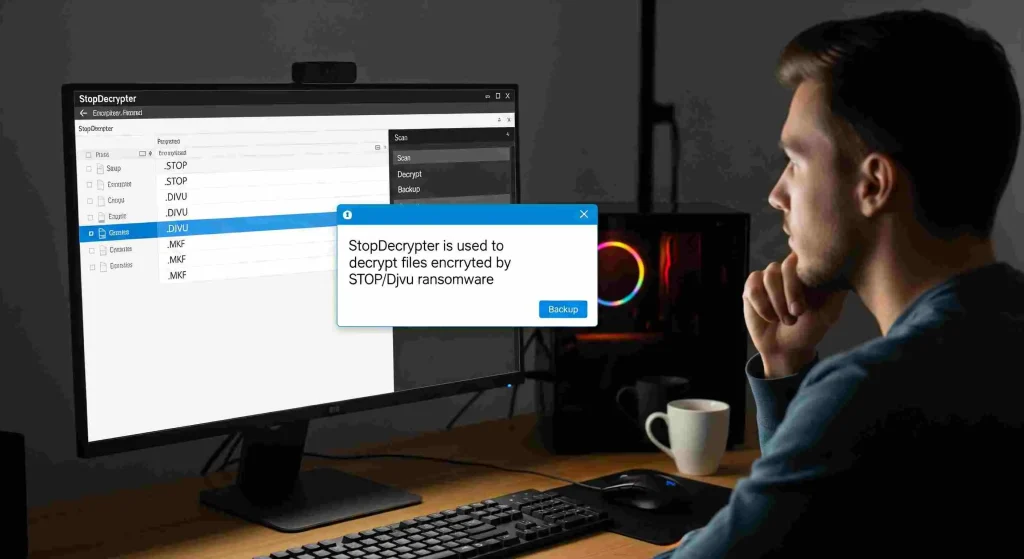
Ransomware attacks have a way of turning an ordinary day into a crisis. One moment, your files are there; the next, they are locked behind unreadable extensions and a ransom note demanding payment. For many victims of STOP/Djvu ransomware, StopDecrypter is often the first tool they try. But what happens when it doesn’t work? What should you do if StopDecrypter cannot decrypt your files? This question matters because the steps you take next can determine whether your data is permanently lost or eventually recovered.
This in-depth guide is written for users who want real answers, not generic advice. It explains why decryption sometimes fails, what immediate actions to take, which recovery paths are still available, and how to protect yourself going forward. Whether you’re a home user or managing systems for others, understanding what should you do if StopDecrypter cannot decrypt your files? can save you from panic-driven mistakes and help you make informed decisions.
Why StopDecrypter fails
Before jumping into solutions, it’s critical to understand why decryption doesn’t always succeed. StopDecrypter relies on known decryption keys released by security researchers. When ransomware uses an offline key that has already been cracked and published, decryption is possible. When it uses a unique online key, decryption becomes much more difficult.
In many real-world cases, users ask what should you do if StopDecrypter cannot decrypt your files? without realizing that the failure itself provides important clues. The tool usually reports whether files were encrypted with an online or offline key. That message is not just technical jargon; it defines your realistic options moving forward.
Common reasons for failure include:
- Encryption with a unique online key
- New ransomware variants not yet analyzed
- Corrupted encrypted files
- Partial encryption or interrupted attacks
- Running the tool on an active infection
Understanding the cause helps you choose the right next step instead of repeating the same failed attempt.
Do not pay the ransom as a first reaction
When decryption fails, panic often pushes victims toward paying the ransom. This is understandable but dangerous. Paying does not guarantee file recovery, and it funds criminal operations that continue harming others. Many victims who paid later found that the decryption tool provided by attackers was buggy, slow, or completely useless.
If you’re asking what should you do if StopDecrypter cannot decrypt your files?, the answer is not “pay immediately.” Take time to explore safer alternatives first. Once money is sent, it’s gone. Files, however, may still be recoverable in the future.
Preserve your encrypted files carefully
One of the most important actions after a failed decryption attempt is to preserve the encrypted data exactly as it is. Do not rename files, do not convert formats, and do not run random “fix” tools found online. Any change can permanently damage the encrypted structure, making future decryption impossible even if a valid key becomes available later.
When people wonder what should you do if StopDecrypter cannot decrypt your files?, file preservation is often overlooked. Make at least one backup copy of all encrypted files and store it offline on an external drive or cloud storage that is not synced automatically. This ensures you have a clean reference point for future recovery attempts.
Remove the ransomware completely
Before attempting anything else, confirm that the ransomware infection is fully removed. Running recovery or backup operations on an infected system can result in newly restored files being encrypted again.
Use trusted security software to scan the system thoroughly. Remove all malicious files, startup entries, and scheduled tasks related to the infection. Only after your system is clean should you continue exploring recovery options. This step is foundational when considering what should you do if StopDecrypter cannot decrypt your files?, yet many users skip it.
Identify the exact ransomware variant
STOP/Djvu ransomware has many variants, each using different extensions and sometimes different encryption behavior. Identifying the exact variant can help determine whether decryption may become possible in the future.
Look closely at:
- File extensions added to encrypted files
- Ransom note names and contents
- Encryption timestamps
- System logs around the time of infection
Accurate identification helps security researchers and allows you to track whether a matching decryption key is later released. Knowing this information puts you in a better position when evaluating.
Understand online keys vs offline keys deeply
This distinction is so important that it deserves special attention. Offline keys are reused across many victims when ransomware cannot connect to its command server. Once discovered, they allow mass decryption. Online keys are generated uniquely per victim and stored on criminal servers.
If StopDecrypter reports that your files were encrypted with an online key, decryption is currently not possible. That doesn’t mean it never will be, but it does mean patience is required. This reality shapes the most honest answer to what should you do if StopDecrypter cannot decrypt your files?
Explore system restore and shadow copies
Some ransomware variants fail to delete shadow copies or restore points. While many STOP/Djvu variants attempt to remove them, it doesn’t always succeed.
Check whether:
- System restore points exist
- Shadow Volume Copies are available
- File History or backup snapshots are intact
Restoring from these sources can sometimes recover earlier versions of files without needing decryption at all. This approach is often safer and faster than waiting for a key and should always be checked when evaluating what should you do if StopDecrypter cannot decrypt your files?
Check existing backups carefully
If you have backups, verify they were created before the infection. Do not connect backup drives until the system is confirmed clean. If backups exist on cloud services, confirm that versioning is enabled and roll back to pre-infection states.
Many users realize too late that their backups were overwritten by encrypted versions due to automatic syncing. Learning from this experience is part of understanding what should you do if StopDecrypter cannot decrypt your files? and preparing better backup strategies for the future.
Avoid fake decryption tools and scams
A failed decryption attempt often leads users to desperate online searches. This is exactly where scammers thrive. Fake “guaranteed” decryptors, paid tools, and shady services often promise miracles but deliver nothing.
Never trust a tool that:
- Demands payment upfront
- Claims to decrypt any ransomware
- Lacks transparency or testing options
- Requires disabling security software
Monitor future decryption releases
Security researchers continue analyzing ransomware variants and releasing new keys when possible. Just because decryption isn’t available today doesn’t mean it won’t be tomorrow.
Set reminders to periodically check whether new offline keys have been added. Keep your encrypted backups safe and unchanged. Many successful recoveries happen months after the initial infection. This long-term perspective is central to answering what should you do if StopDecrypter cannot decrypt your files?
Consider professional data recovery cautiously
Professional recovery services can sometimes help, but only in specific cases. Reputable providers will first analyze sample files and be honest about success chances. Be cautious of anyone who guarantees recovery.
Professional services may be useful if:
- Files are partially encrypted
- Hardware failure occurred alongside infection
- Backups are damaged but not fully destroyed
Even then, recovery is not assured. Still, it may be part of a broader strategy when thinking about what should you do if StopDecrypter cannot decrypt your files?
Learn from the incident and strengthen defenses
Once immediate recovery efforts are exhausted, focus on prevention. Ransomware often enters through cracked software, malicious email attachments, or outdated systems.
Key prevention measures include:
- Regular offline backups
- Software updates and patches
- Email filtering and awareness
- Limiting admin privileges
- Using reputable security software
The experience of asking what should you do if StopDecrypter cannot decrypt your files? should lead to stronger digital habits that reduce the risk of future incidents.
Psychological impact and decision-making clarity
Data loss isn’t just technical; it’s emotional. Photos, documents, and projects often carry personal or professional value that makes rational thinking difficult. A calm, structured approach helps prevent irreversible mistakes.
Take breaks, avoid rushed decisions, and document each step you take. This mindset supports better outcomes when facing the difficult reality behind what should you do if StopDecrypter cannot decrypt your files?
When waiting is the best option
Sometimes the best course of action is patience. If files were encrypted with an online key and no backups exist, waiting while preserving data may be the smartest choice.
History shows that keys do occasionally become available. Waiting costs nothing and keeps options open. Accepting this possibility is often the most honest answer to what should you do if StopDecrypter cannot decrypt your files?
Conclusion
When ransomware strikes, and decryption fails, the situation feels overwhelming. Yet, understanding what should you do if StopDecrypter cannot decrypt your files? brings clarity and control back into the picture. The key steps are preserving encrypted data, removing the infection, avoiding rash decisions, and staying informed about future decryption possibilities.